22 - GameMode logic, win or defeat, score and UI
After my detour through the weapon actions, I returned to the game loop logic. I started by creating a DesertDefenderGameMode class and used it for the TinyTown level. I added four functions:
ActivateSpawners(), called fromPostLogin(), to manageSpawnPointsand introduce a warmup delay before starting fight snakes.PlayerEliminated(), which sends the player back to the MainMenu map when he is killed by the snakes.BasePointDestroyed(), which sends the player back to the MainMenu map when the base is destroyed by the snakes.PlayerWon(), which sends the player back to the MainMenu map when he wins.
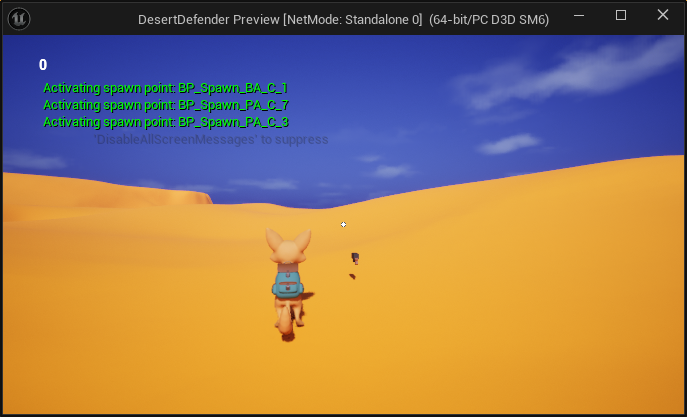
SpawnPoints activated after a Warmup Delay
Then, I created a HUD and CharacterOverlay classes to move the UI logic from level blueprints to C++. I parented my existing WBP_Main to the new class. I added a PlayerScore TextBlock in the top left corner of the screen and in the C++, I used the UPROPERTY(meta = (BindWidget)) property to be able to modify the value from code.
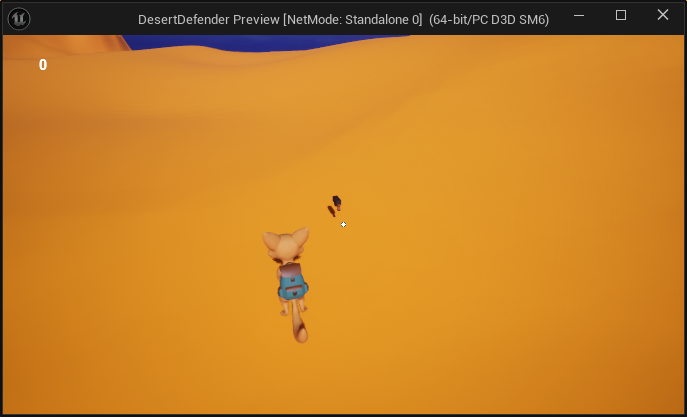
The WBP_Main parented to the CharacterOverlay with a PlayerScore TextBlock
After that, I have setup all the UI related code in the PlayerController class to clean my code. Now, it is the controller that is responsible to call the HUD from OnPosses() to add the WBP_Main to the viewport, to initiate the score to 0 and to update the UI when snakes are killed .
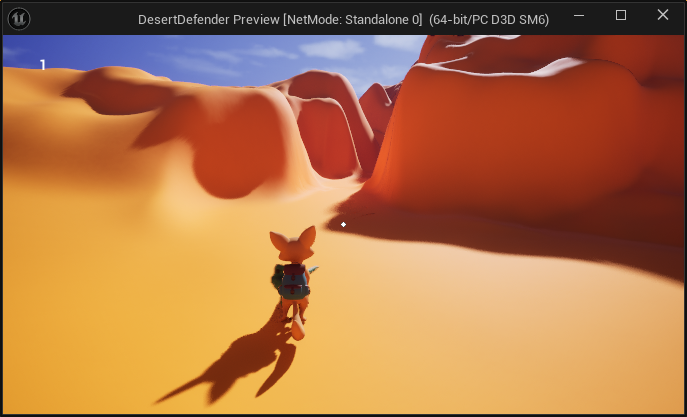
The WBP_Main PlayerScore updated after a kill
Finally, I added a function in the GameMode so when the player score is higher than a value, the player wins the game.
In summary, now:
- Snake is killed and calls
TakeDamage() - The function calls
UpdatePlayerScore()in thePlayerController - It updates the
PlayerScorein theCharacterOverlaywidget through theHUD - The
GameModechecks win conditions - When the player or the base are attacked, the
GameModechecks defeat conditions